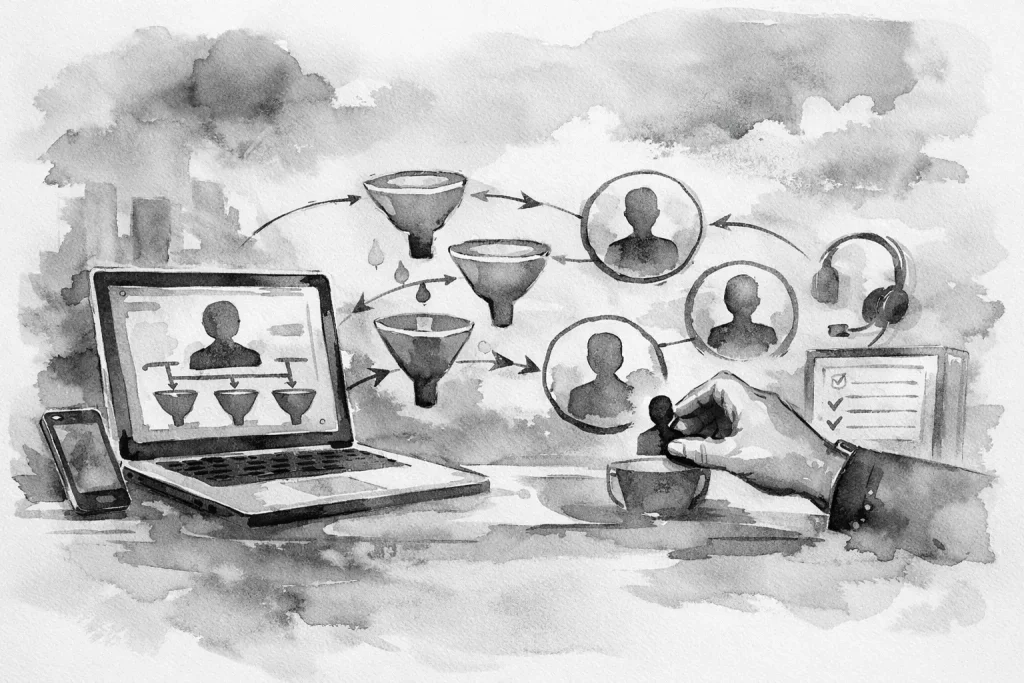
A lead submits a form at 9:12 a.m., calls at 9:25, and sends a Facebook message before lunch. By the time someone sees all three, the prospect has already contacted another business. This is the real reason to learn how to streamline lead intake: the problem is rarely a lack of interest. It is the friction between a customer raising their hand and your team taking the next clear action.
For a busy local business, lead intake is not just a website feature. It is an operating process that connects marketing, sales, scheduling, and customer service. When that process is unclear, good leads get buried in inboxes, copied into spreadsheets, or assigned based on who happens to notice them first.
Start with the path a lead takes today
Before adding software or automations, map the process you already have. Follow one recent inquiry from its source to its outcome. Where did it arrive? Who received it? How long did the first response take? Where was the information recorded? What happened if that person was busy, off work, or unsure who owned the request?
This exercise often exposes the actual issue. A contractor may have a strong contact form but no dependable way to separate emergency calls from estimate requests. A multi-location service business may collect leads in several places but have no location-based routing. A professional office may receive every inquiry in one shared inbox, where follow-up depends on individual habits.
Write down every entry point, including website forms, phone calls, text messages, social messages, referral emails, and online booking requests. You do not need to force every channel into one system on day one. You do need to know which channels create real opportunities and which ones are creating duplicate work.
How to streamline lead intake with a single source of truth
The goal is not to make every interaction look identical. The goal is to ensure every qualified lead lands in a place where it can be seen, assigned, tracked, and acted on.
For some businesses, that place is a CRM. For others, it may be a structured intake board, custom app, or a carefully designed shared system that fits a smaller team. The right choice depends on lead volume, the complexity of the sales process, and who needs access to the information. A simple system that the team uses consistently is better than a sophisticated platform everyone avoids.
Your central intake record should capture the information needed to take the next step without requiring someone to hunt through an email thread. That usually includes contact details, service requested, location, lead source, preferred contact method, urgency, notes, ownership, and current status.
Status matters more than many teams realize. Use plain language that reflects how the business works: New, Contacted, Qualified, Estimate Scheduled, Proposal Sent, Won, or Closed. Avoid creating ten status options when five will do. Every extra choice makes reporting less reliable and makes it easier for leads to sit in limbo.
Build forms that help customers and your team
A contact form should not function like a wall between the visitor and the business. It should help the customer explain what they need while giving your team enough context to respond appropriately.
Ask for the basics first: name, phone or email, service needed, and a short description. Then add only the questions that change how you handle the lead. A home service company might ask for ZIP code and preferred appointment window. A commercial provider might ask about project scope or number of locations. A form for a service that requires a quick response may need an urgency field.
There is a trade-off. Longer forms can improve lead quality, but they can also reduce submissions, especially on mobile. If a question is helpful but not essential for the first conversation, ask it later. A good intake form collects what your team needs to respond with confidence, not every detail needed to complete the job.
Use clear confirmation language after submission. Tell people what happens next and set a realistic expectation for response time. If requests submitted after business hours will be handled the next morning, say so. Clarity reduces unnecessary follow-up calls and prevents a customer from assuming their request disappeared.
Route leads based on rules, not memory
The fastest way to lose accountability is to send every lead to a general inbox and assume the right person will grab it. Intake routing should reflect the way your business is organized.
A lead may need to go to a specific person based on service type, territory, location, existing customer status, or urgency. A request from Millcreek may need different handling than one from a farther service area. A repair inquiry may need immediate attention while a larger project request should go to the estimator who can qualify it properly.
Set clear ownership rules. If a new lead enters the system, one person should be responsible for the first response. If that person is unavailable, define a backup route. The system should not require someone to remember who covers whom each week.
Automation is useful here, but it should support a defined process rather than replace judgment. An automated notification can alert the right employee, create a task, and stamp the lead source. It cannot determine whether a vague request is a good fit for your business. Give the team a process for exceptions, not just a workflow for ideal inquiries.
Set a response standard your team can maintain
Speed matters, but a rushed and vague response can create its own problems. Establish a response standard based on the type of inquiry. An urgent service request may require a call within minutes. A standard estimate request may receive a call or personalized message within one business hour. A more complex commercial inquiry may need an acknowledgment first, followed by a scheduled qualification call.
The key is consistency. If the website promises a fast response but leads wait until the next day, the issue is operational, not marketing-related. Track first-response time for a few weeks. You do not need an elaborate dashboard to spot patterns. Even a simple report can show whether leads slow down after hours, during lunch, on weekends, or when one team member is out.
Create a few response templates for common requests, but do not let templates become a substitute for attention. A customer should receive confirmation that you understand the reason they contacted you. Mention the service, timing, or location they provided when possible. That small amount of context makes a response feel organized rather than automated.
Remove duplicate entry and handoffs
Manual copying is where lead intake often breaks down. Someone reads an email, retypes the information into a spreadsheet, then sends a message to a salesperson, who adds it to another tool. Each handoff adds delay and creates room for missing details.
Look for the highest-friction repeat tasks first. Can website submissions create a record automatically? Can a new record generate an assigned follow-up task? Can a qualified lead trigger a request for photos, documents, or scheduling information? Can the team see prior communication without switching between five tabs?
Not every process needs automation. A low-volume business with highly customized sales conversations may benefit more from a cleaner form and clearer ownership than from a complex integration. Automation earns its place when it removes repetitive administrative work, improves response reliability, or gives the team better visibility.
Measure lead quality, not just lead volume
More form submissions are not always better. If most new inquiries are outside your service area, requesting work you do not provide, or missing the information required to qualify them, the intake process needs adjustment.
Review lead sources and outcomes monthly. Which channels produce booked work? Which form fields are consistently left blank? Which services create the longest sales cycle? Where do leads tend to go cold? These answers can improve your website messaging, local search strategy, staffing decisions, and follow-up process.
Keep the measurement practical. A local business does not need enterprise reporting to make better decisions. It needs a reliable view of where leads come from, who owns them, how quickly the team responds, and what happens next.
A cleaner intake process gives customers a better first impression, but its bigger value is internal. Your team spends less time sorting messages and more time having the conversations that move work forward. Start with one lead path, remove one unnecessary handoff, and make ownership obvious. That is how a better system takes hold without disrupting the business that system is meant to support.