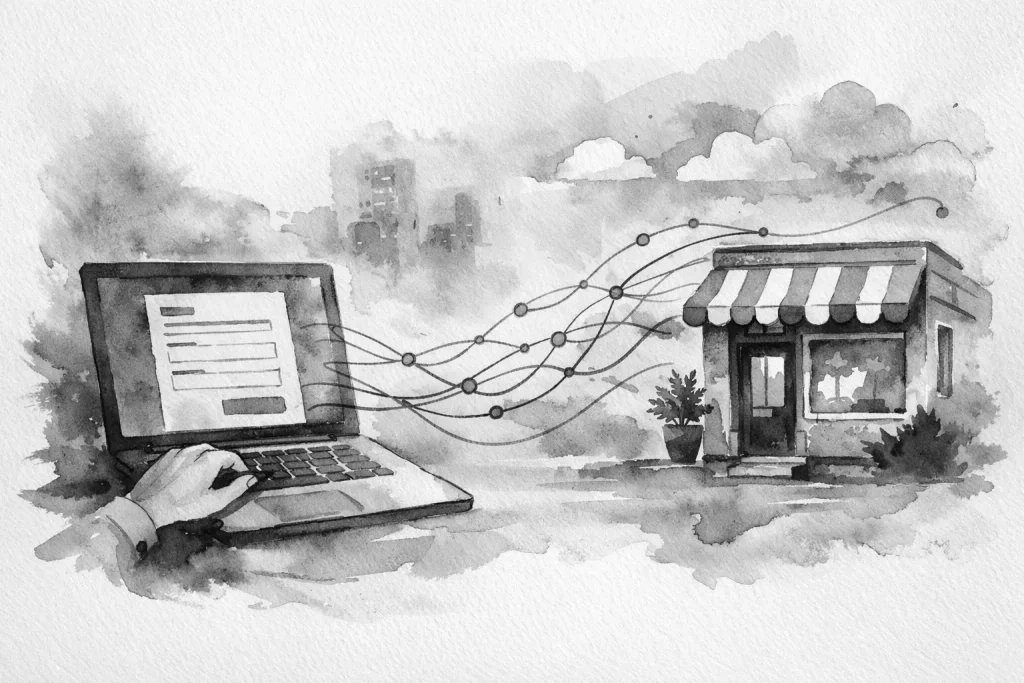
A website form is often the first handoff between a prospect and your team. If that handoff ends in a crowded inbox, an unclear notification, or a manual copy-and-paste task, the form is creating work instead of reducing it. Knowing how to connect website forms means treating each submission as the start of a business process, not just an email.
For a local service business, a new request may need to reach the right person, create a customer record, trigger a follow-up, and give the owner visibility into what happened next. The right setup depends on how your business operates, but the goal is consistent: reduce friction between a customer asking for help and your team taking action.
Start With the Outcome, Not the Form Tool
Most form problems begin with a tool-first decision. A business installs a form plugin, adds fields, and sends notifications to a general email address. It works technically, but no one has defined what should happen after someone clicks Submit.
Before choosing integrations, map the path for each type of form. A general contact request may need a fast email response. A quote request may need to create a lead in your CRM or sales tracker. A job application may need to go to a hiring manager and stay separate from customer inquiries. A service request from an existing customer may need to enter an internal ticketing or work-order process.
Ask four practical questions:
- Who owns the next step?
- Where should the information live after it is submitted?
- What response does the customer receive right away?
- What follow-up must happen if nobody responds?
These answers determine the connection you need. They also prevent a common mistake: sending every kind of form submission to the same inbox and expecting staff to sort it out later.
How to Connect Website Forms to the Right Systems
A form can connect to one destination or several. The best option is rarely the system with the most features. It is the one your team will actually use consistently.
Email is useful, but it should not be the only record
Email notifications are still valuable. They give the right person an immediate alert and can include the full submission details. For small teams, a well-routed email may be enough for simple contact requests.
The limitation is that email is easy to overlook, archive, or lose in a conversation thread. If a lead matters to your sales process, store it somewhere that makes follow-up visible. That might be a CRM, a shared pipeline, a job management platform, or a simple internal dashboard.
A strong basic setup sends an email notification to the responsible team member while also recording the submission in the system where work is tracked. That creates both speed and accountability.
Connect lead forms to your CRM or pipeline
If your business follows up on estimates, consultations, or recurring service opportunities, connect the form directly to your CRM. New submissions can create a contact, open a deal or opportunity, assign an owner, and add source details such as the page the visitor used.
Keep the information useful. A CRM record should capture the customer’s name, contact information, service interest, location if relevant, and message. Avoid building a form that asks for every detail your office might someday want. Long forms lower completion rates and often produce rushed, low-quality answers.
Use required fields only for information needed to respond or qualify the request. You can gather job details during a call, site visit, or scheduled consultation.
Use scheduling when the next step is a conversation
For businesses that sell through consultations, appointments, or estimates, a form does not always need to be the final step. It can direct qualified visitors to book time with the right person.
There are two ways to handle this. The first is a short scheduling-focused form that routes visitors to an appointment calendar after submission. The second is a calendar embedded on the page with a few qualifying questions before booking. The better choice depends on your availability and how much screening each appointment requires.
Do not force every visitor to schedule immediately. Some customers have a quick question or are not ready to choose a time. Give them a clear contact option as well. A website should support the way customers prefer to start the conversation, while still keeping your internal process organized.
Use automation for repeatable internal work
Automation becomes worthwhile when a form submission repeatedly triggers the same predictable tasks. For example, a new service inquiry could notify the office, create a lead, add a task for a callback, and send the customer a confirmation message. An intake form could create a project folder and alert the operations team that documents are ready.
The value is not in adding automation for its own sake. It is in removing repetitive handoffs that cause delays and mistakes. If someone on your team copies the same fields into another system several times a day, that is a good process to review.
For more specialized software, a webhook or custom integration may be the cleanest route. This allows form data to move into an internal app, database, or workflow that matches how the business actually runs. Custom connections take more planning than a basic plugin integration, but they can eliminate fragmented processes that off-the-shelf tools do not handle well.
Build Forms That Collect Better Information
A connection is only as useful as the information it receives. Form design affects both lead quality and the work required after submission.
Start with a clear purpose for each form. A general contact form should be brief. A quote form can ask a few questions that help staff understand scope. An existing customer support form may include account or location details so the request reaches the right team without a back-and-forth email.
Use plain labels. “What can we help with?” is clearer than “Inquiry classification.” If you need customers to choose from services, use familiar language rather than internal department names. On mobile, keep the experience especially simple. Many local business visitors are filling out forms between appointments, from a parking lot, or after normal business hours.
Confirmation messages matter too. Tell the visitor what happens next and set a realistic response expectation. “We received your request and will contact you during business hours” is better than a generic success message. If urgent requests require a phone call, say so clearly instead of letting a form create the wrong expectation.
Set Routing Rules Before Submissions Start Arriving
Routing rules turn a form from a passive inbox message into an operating system. The rules can be simple: service requests go to the service coordinator, employment inquiries go to the hiring contact, and requests from a certain area go to the correct location or team member.
For multi-location businesses, routing by service area can prevent costly delays. A customer in Millcreek should not have to wait for an office team to forward a request that could have gone directly to the appropriate person. However, do not overcomplicate routing if your staff shares responsibilities. A simpler system with clear ownership is more reliable than an elaborate setup no one maintains.
Build a backup path as well. If the assigned person is unavailable, who sees the request? If a message contains an urgent phrase, does it need a different alert? If a lead sits untouched for a business day, should a manager receive a reminder? These are small decisions that protect revenue and customer experience.
Test the Entire Process, Not Just the Submit Button
A form that displays a success message is not necessarily working. Test each connection from the visitor’s perspective through to the team’s next action.
Submit test entries using different devices and email addresses. Confirm that notifications arrive, CRM records are created correctly, fields map to the right places, and automated messages sound professional. Check that the responsible person can tell what action to take without opening multiple systems.
Then test failure points. What happens if a required integration is disconnected? Does the website keep a submission record? Is an administrator notified? Can staff find and recover missed leads? These checks are particularly important after website updates, plugin changes, email provider changes, or new staff workflows.
Protect Forms From Spam and Bad Data
Spam protection is part of form connection work because junk submissions consume time and can contaminate reporting. Use a layered approach that may include a background spam filter, honeypot fields, reasonable rate limits, and validation for email addresses and phone numbers.
Avoid making forms difficult for legitimate customers just to stop spam. Aggressive challenges and confusing verification steps can reduce real inquiries, especially on mobile. Review your spam volume and adjust based on actual behavior rather than assuming more barriers are always better.
You should also consider where form data is stored and who can access it. Limit sensitive questions unless they are truly necessary. Website forms are not the right place to collect highly confidential information without an appropriate secure process. Retention rules, user permissions, and regular software updates are practical parts of keeping the system dependable.
Measure Response Time and Improve the Handoff
Once your forms are connected, the most useful metric is often not form volume. It is response time. A business can generate more inquiries and still lose opportunities if replies are slow, inconsistent, or sent by the wrong person.
Review a sample of submissions each month. Look for recurring gaps: missing information, leads assigned incorrectly, duplicate records, unanswered requests, or staff doing manual work that could be removed. Small refinements add up. A cleaner form, a better routing rule, or a clearer confirmation message can improve both the customer experience and daily operations.
Your website should not simply collect names and messages. It should move real customer needs into a process your team can act on with confidence. When forms are connected thoughtfully, the business looks sharper to customers and works smarter behind the scenes.