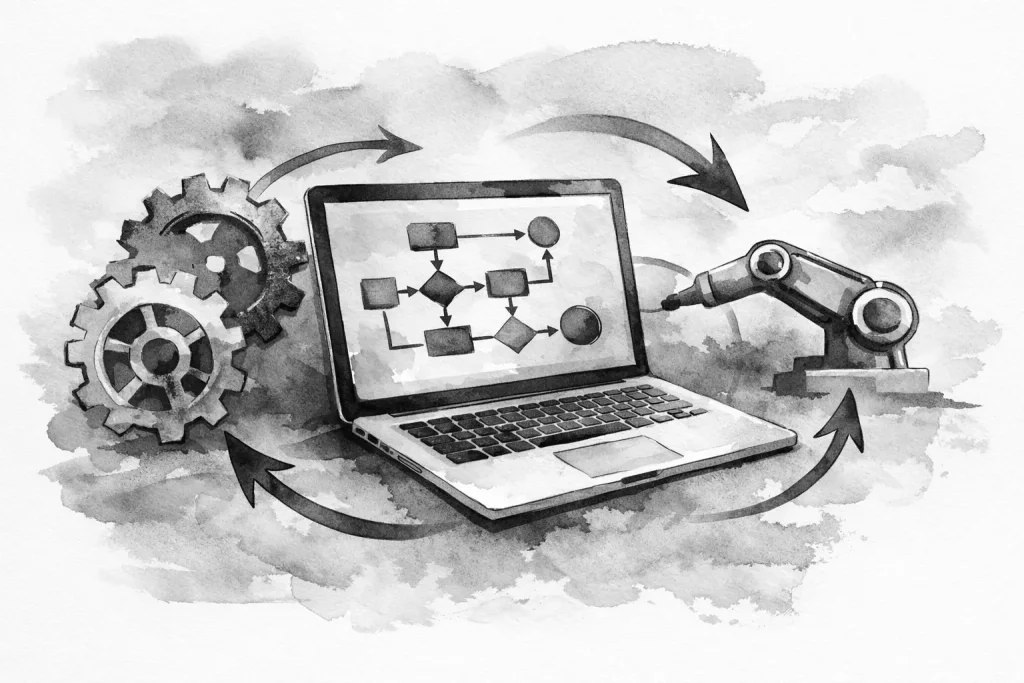
A missed web form rarely looks like a technology problem at first. It looks like a prospect who never heard back, an estimate that went cold, or a manager spending Friday afternoon asking who owns the next step. When you build business automation workflows around the work your team already does, those gaps become visible and fixable.
For a local business, automation is not about replacing people with software. It is about removing routine handoffs, repeated data entry, and avoidable follow-up failures so people can spend more time on customers, jobs, and decisions that need judgment. The right system should make the business easier to run, not add another dashboard nobody checks.
Start with the friction, not the software
The fastest way to create a bad workflow is to start with a tool and look for something to automate. Start instead with a recurring process that creates delays, mistakes, or uncertainty.
A service business may receive inquiries through its website, phone, social profiles, and referrals. If every inquiry is copied into a spreadsheet by hand, then assigned through text messages, the problem is not a lack of effort. The process has too many points where information can be lost.
Look for work that is repetitive, rules-based, and frequent. Good early candidates include lead intake, appointment reminders, estimate follow-up, new customer onboarding, review requests, invoice reminders, internal task assignments, and status updates. These processes tend to have a clear trigger and a predictable next step.
Before making changes, write down how the process works today. Include who starts it, where information comes from, who touches it next, what decisions are required, and where the process usually stalls. A rough map is enough at first. The goal is to expose the real workflow, including the workarounds your team has built over time.
Define the outcome before you build business automation workflows
Automation should have a business purpose that can be checked. “Save time” is a reasonable goal, but it is too broad to guide the build. A more useful outcome might be: every website inquiry receives an acknowledgment within five minutes, qualified leads are assigned by service area, or open estimates receive a follow-up task after three business days.
That level of specificity forces useful decisions. What counts as a qualified lead? Which team member receives it? What should happen if the customer selects an urgent service need? What happens if a required field is blank?
A workflow is only as reliable as the rules behind it. If the team cannot agree on the next action, automation will not solve the problem. It will simply make inconsistent decisions happen faster.
Choose one primary measurement for the first version. For lead handling, that could be response time or the percentage of leads assigned without manual intervention. For appointment reminders, it could be fewer no-shows. For onboarding, it might be the percentage of new customers who complete required forms before their first appointment.
Build around a clear trigger, action, and owner
Most business workflows can be understood in three parts: something happens, the system takes an action, and a person owns the exception or next decision.
A website form submission is a trigger. Creating or updating a customer record, sending an acknowledgment email, and notifying the appropriate employee are actions. The sales coordinator or office manager is the owner who verifies the lead, handles unusual requests, and moves the conversation forward.
That owner matters. Automation should not create anonymous work. Every meaningful handoff needs a person or role responsible for reviewing it. Without ownership, teams assume the system handled everything, even when an integration fails or a customer submits incomplete information.
A practical lead workflow might collect form details from a custom website, tag the inquiry by service type, create a record in the business system, notify the right team member, and create a follow-up task with a due date. If the lead indicates an emergency or a high-value commercial request, the workflow can route it differently. That is useful automation because it reflects how the business already prioritizes work.
Keep the first version narrow
Trying to automate an entire operation at once creates risk. There are too many exceptions, too many people affected, and too many places to hide a bad assumption. Start with a single process that has a measurable cost when it breaks.
For example, a contractor may begin with estimate follow-up rather than automating every stage from first call to final invoice. The workflow can watch for estimates that remain open after a defined period, create a task for the assigned salesperson, and prepare a follow-up message for review. This protects consistency without sending unwanted communication blindly.
The same approach works for internal operations. A new employee onboarding workflow can collect required information, assign setup tasks, and remind the right people about access, equipment, or training. It does not need to make every HR decision. It needs to make sure routine steps do not disappear into email.
Narrow workflows are easier to test, easier to explain, and easier to improve. Once a team trusts the first workflow, the next one becomes less disruptive.
Design for exceptions and real people
A clean process diagram can make a business look more predictable than it is. Customers call instead of filling out forms. A dispatcher makes a judgment call. A job changes scope halfway through. These are not failures of the process. They are normal operating conditions.
Good automation leaves room for judgment. It should flag exceptions, route them to the right person, and preserve the context needed to act. It should not force staff to fight the system just to handle a legitimate edge case.
Use required fields carefully. They improve data quality, but too many can reduce completed forms and slow employees down. Capture information that affects a decision or follow-up. Leave the rest for later unless there is a clear operational reason to collect it upfront.
It also helps to separate customer-facing communication from internal automation. A customer may appreciate a quick confirmation that their request was received. They may not appreciate a string of generic messages that ignore the actual conversation. Build timing, review points, and stop conditions into any communication workflow.
Connect systems with a source of truth
Small businesses often run on a mix of email, calendars, accounting software, forms, spreadsheets, and industry-specific platforms. That is normal. The problem begins when the same customer information is edited in several places with no clear record to trust.
Decide where each core type of information belongs. Customer contact details may live in a customer management system. Job status may live in field service software. Website form submissions may feed both, but they should not become a separate, unmanaged database.
When systems connect, define what data moves, when it moves, and which system wins if values conflict. This may sound technical, but it is an operational decision. If an employee updates a phone number after speaking with a customer, that correction should not be overwritten later by an older form submission.
A custom website can play an important role here. It is often the front door for new leads, service requests, job applications, and document uploads. Properly built forms and integrations turn that front door into a controlled intake process instead of another inbox to monitor.
Test the workflow before relying on it
Do not launch a workflow and assume it is working because no one complained. Test realistic situations: a complete submission, a missing phone number, a duplicate customer, an after-hours request, a request for a service you do not offer, and an employee who is out of the office.
Review the notifications from the recipient’s perspective. Is the message clear? Does it contain enough information to take action without opening three other systems? Is the due date realistic? Are people receiving alerts they do not need?
Testing should also include failure handling. Integrations occasionally break because a password changes, a field is renamed, or a third-party platform updates its rules. The workflow should provide a way to identify failed actions and recover without recreating work from scratch.
Document the process in plain language. A short operating note should explain what starts the workflow, what it does, who owns it, and what to do if it fails. This protects the business when roles change and makes future improvements less dependent on memory.
Improve after the workflow meets real conditions
Automation is not a one-time project. As your services, staffing, and customer expectations change, the workflow should change with them. Review it after a few weeks of real use. Ask the people doing the work where it saves time, where it creates confusion, and what still requires manual cleanup.
Some manual steps are worth keeping. A personal review before sending a large estimate, approving a sensitive customer message, or closing an important account can protect quality. The goal is not maximum automation. The goal is cleaner digital operations with fewer preventable misses.
For Erie-area businesses that have outgrown disconnected forms, inboxes, and spreadsheets, practical workflow design can create meaningful breathing room without enterprise-level overhead. Erie Digital Co. approaches automation as part of the larger operating system: the website, lead handling, internal tools, and ongoing support should reinforce each other.
The best place to begin is usually the task your team repeats every day and quietly dislikes. Fix that handoff well, give it a clear owner, and let the improvement earn the next one.