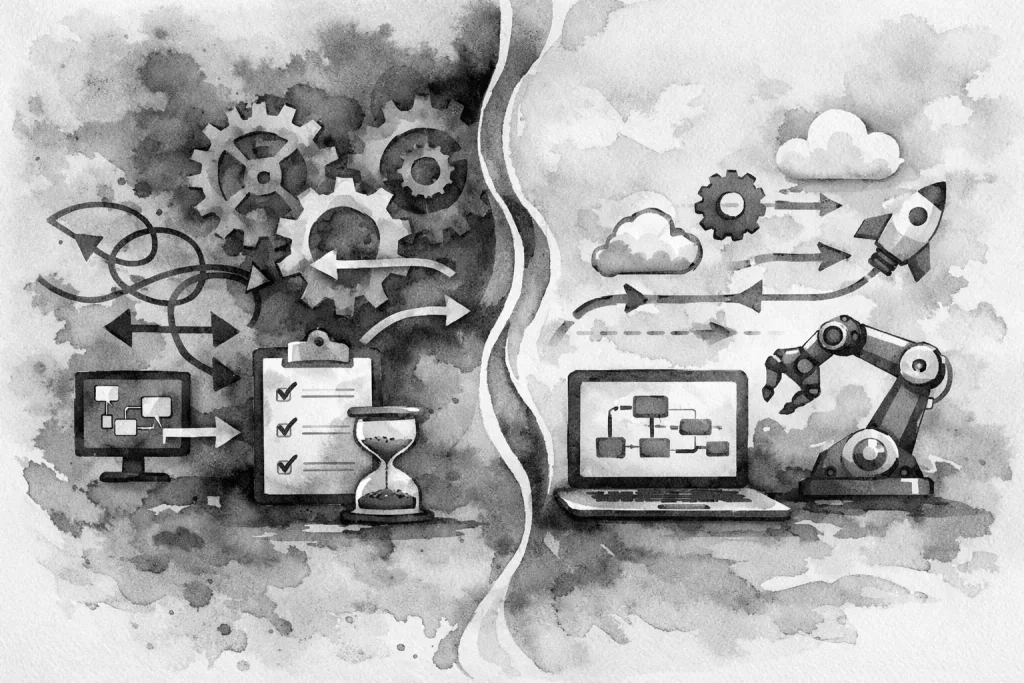
A new lead comes in at 8:12 a.m. The office manager sees it between calls, copies the details into a spreadsheet, and sends a message to the right person. By noon, the prospect has not heard back. This is where an automation workflow before after comparison becomes useful. It turns a vague feeling that work is getting stuck into a clear view of what is happening, where it is happening, and what should change.
For local service businesses, automation is not about replacing the people who know customers, solve problems, and keep jobs moving. It is about removing the repeated administrative steps that pull those people away from their work. The best result is usually not a dramatic technology overhaul. It is cleaner digital operations built around the way the business already needs to run.
What “before” actually looks like
Most manual workflows do not look broken at first. They look familiar. A customer submits a web form. Someone receives an email notification, forwards it to a team member, enters the details elsewhere, and follows up when time allows. Each individual step may take only a few minutes.
The problem is the accumulated friction. Information is copied into multiple places. Staff members need to remember the next action. A handoff depends on someone checking an inbox, seeing a text message, or asking a question in a hallway. When business is slow, the process may hold together. When calls pick up, a team member is out, or an urgent job interrupts the day, gaps appear.
The “before” state often includes incomplete contact records, duplicate entries, inconsistent follow-up, and limited visibility into whether a lead became a booked job. It can also affect existing customers. A request for service may sit in an inbox because it was not routed correctly. A completed job may not trigger an invoice reminder. A manager may spend Friday afternoon building a report that should have been available all week.
These are process problems, not employee failures. Good people are often compensating for systems that ask them to remember too much.
The automation workflow before after test
A useful workflow review starts with one process, not every process in the company. Pick a task that happens frequently, involves more than one person, and creates visible delay or rework. Lead intake, appointment requests, estimate follow-up, employee onboarding, and recurring status reports are common starting points.
Document the current process as it actually happens. Do not document the version everyone wishes were happening. Follow one request from the first trigger to the final outcome. Note which systems are involved, who touches the information, where someone has to make a decision, and where the work waits.
Then compare it to the desired after state. A basic lead workflow, for example, may change from an emailed form submission that requires manual copying into a shared spreadsheet to a structured process that records the inquiry, assigns an owner, alerts the right person, and creates a follow-up task. The business still controls the conversation. The system simply makes sure the conversation does not disappear.
The goal is not to automate every click. Some steps need judgment. A complex service request may need a manager to review the details before it is assigned. A high-value customer may deserve a personal call rather than a generic automated response. Automation should handle routing, reminders, record updates, and routine acknowledgments so your team can apply judgment where it matters.
What changes after the workflow is built
A well-designed workflow creates a more reliable chain of events. The first change is speed. Customers receive a prompt confirmation, while the responsible team member receives the information without waiting for someone else to forward it.
The second change is consistency. Required fields can be collected up front, records can follow a standard format, and recurring tasks can be triggered the same way each time. That makes it easier to train staff and easier for managers to see what is happening.
The third change is visibility. Instead of asking, “Did anyone get back to that customer?” a manager can see the status of a request, the next action, and the person responsible. This is especially valuable for busy teams with several service lines, multiple locations, or a mix of office and field staff.
The final change is capacity. Automation does not create an extra employee, but it can give existing employees back time spent on copying data, searching for details, and sending the same reminders. That time can go toward customers, scheduling, estimates, quality control, or work that actually needs human attention.
Measure the right before-and-after results
Do not judge a workflow by how many apps are connected. Judge it by whether the business operates with less friction. Before implementation, establish a few simple baselines. After implementation, review them on a regular schedule.
Useful measures may include response time to new inquiries, the percentage of leads that receive follow-up, the number of incomplete requests, time spent on weekly reporting, and the number of times staff need to re-enter the same information. For service businesses, you may also look at appointment no-shows, estimate follow-up rates, or the time between job completion and invoicing.
Numbers matter, but staff feedback matters too. If the office team says the process is faster but the field team is receiving confusing notifications, the workflow needs adjustment. A system that works perfectly on a diagram but creates new interruptions in the real world is not finished.
Common mistakes that make automation less useful
The biggest mistake is automating a messy process without fixing it first. If a form asks unclear questions or the ownership of a lead is undefined, automation will move bad information faster. Start by clarifying the trigger, the required information, the responsible person, and the definition of a completed task.
Another common problem is building around too many tools. Small businesses often accumulate separate platforms for forms, email, scheduling, customer records, accounting, and internal communication. Some are necessary. Others exist because a previous workaround became permanent. The right answer depends on what the business already uses well and what needs to connect. Adding another platform is not automatically progress.
It is also easy to over-notify. Alerts that fire for every small update become background noise. Notifications should go to people who can act on them, with enough context to make the next step clear. A good workflow reduces interruptions instead of multiplying them.
Finally, do not treat automation as a one-time project. Business processes change when you add staff, expand services, update forms, or change how work is scheduled. A workflow should be reviewed after launch and improved based on real use.
Start with a process that affects customers
For many Erie-area businesses, the strongest first automation is connected to the customer journey. A website form should not just send an email. It should collect useful information, create a dependable record, route the request appropriately, and support timely follow-up. That connects the public-facing website to the internal process that determines whether a lead becomes revenue.
This is where a practical audit helps. Review the website, forms, inboxes, spreadsheets, and the tools employees use every day. Look for the handoffs that depend on memory and the repeated tasks that offer little value when done manually. Then build the smallest change that solves a meaningful problem.
Erie Digital Co. approaches automation as part of the larger operating system, alongside a sharper website, stronger local visibility, and practical technology support. The objective is not more software. It is a business that can respond faster, track work more clearly, and spend less time repairing preventable gaps.
Choose one workflow this week and trace it from start to finish. If the process depends on forwarding emails, copying the same details twice, or hoping someone remembers the next step, you have found a useful place to begin.