If your team is still copying form submissions into a spreadsheet, forwarding emails by hand, or chasing approvals through text messages, you do not have a staffing problem first. You have a systems problem. Small business workflow automation fixes that by removing repetitive handoffs, reducing missed steps, and making routine work easier to manage.
For most local businesses, the issue is not a lack of software. It is too many disconnected tools, each doing one piece of the job while staff fill the gaps manually. A lead comes in through the website, someone emails the office, another person creates a task, and nobody is fully sure whether the customer got a response. That kind of friction costs time, but it also affects service quality, sales consistency, and reporting.
What small business workflow automation actually means
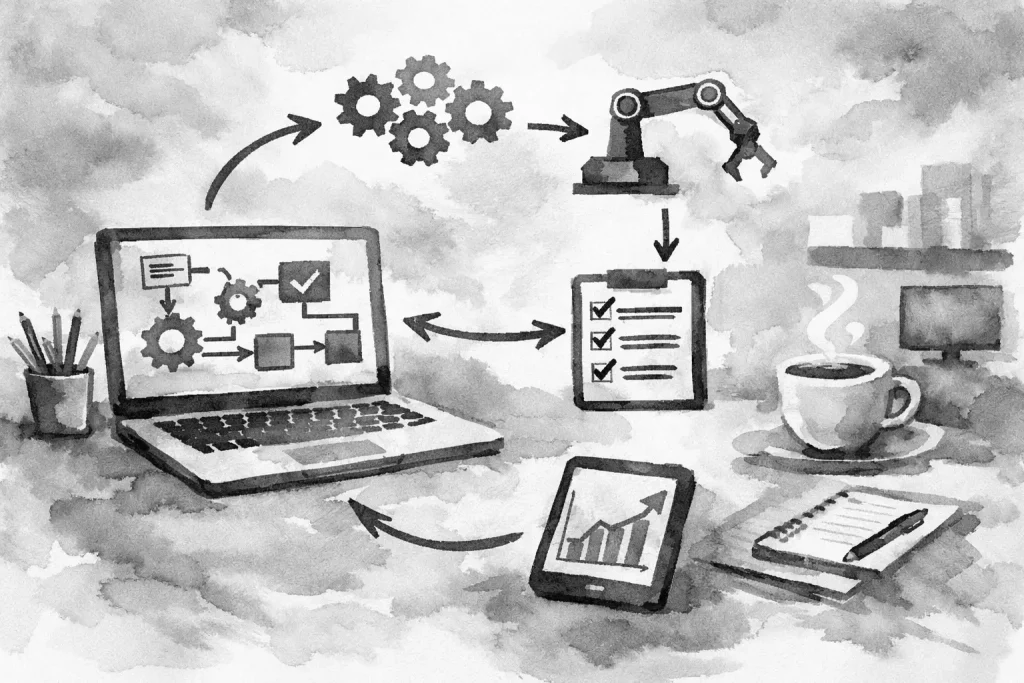
In plain terms, workflow automation means setting up your systems so common actions trigger the next step automatically. When a customer submits a quote request, the right person gets notified, the lead is logged, a follow-up message goes out, and an internal task is created without someone doing each part by hand.
That does not mean replacing people. It means using people where judgment matters and using systems where repetition is the real work. For a small business, that distinction matters. You are not trying to build an enterprise software stack. You are trying to reduce friction in the daily jobs that eat up hours every week.
The strongest automations are usually operational, not flashy. New customer intake, estimate requests, appointment workflows, review requests, billing reminders, file collection, onboarding, and internal approvals all tend to be good candidates. They are repeated often, they follow a pattern, and mistakes are expensive.
Where small business workflow automation delivers the most value
The best place to start is where manual work touches revenue or customer experience. Lead handling is a common example. If website inquiries sit in an inbox for half a day before anyone responds, that is a process issue. A cleaner setup can route the lead instantly, send a confirmation message, attach the source, and make sure follow-up does not depend on memory.
Operations is the next high-value area. Many service businesses still rely on a patchwork of email, paper notes, and verbal updates to move jobs forward. Automation can standardize intake, push information into the right records, and make sure every job starts with the same required details. That reduces rework and prevents the usual bottlenecks caused by missing information.
Administrative tasks also add up faster than owners expect. Invoice reminders, document requests, status updates, and recurring reporting are all simple on their own. Together, they consume time that should be spent on sales, service, or management. A well-built workflow handles these routine actions consistently and frees staff to focus on exceptions.
There is also a visibility benefit. When work moves through a defined system, it becomes easier to see where jobs stall, where leads go cold, and where your team is spending unnecessary effort. That matters just as much as time savings because cleaner operations make better decisions possible.
Why many automation projects fail
Most failed automation efforts do not fail because the idea was wrong. They fail because the business automates a broken process, adds too many tools, or builds something nobody actually wants to use.
If your intake form asks for the wrong information, automating it just speeds up bad intake. If your team already dislikes the CRM, forcing every process into it will not improve adoption. If each new fix adds another app, another login, and another point of failure, the system becomes harder to manage instead of easier.
This is why process comes before tooling. You need to understand the current workflow, where the delays happen, what information is required, who owns each step, and what a better version should look like. Only then does the technology decision make sense.
There is also a trade-off small businesses should keep in mind. More automation is not always better. Some processes need human review because the details vary too much or because the customer experience depends on context. The goal is not total automation. The goal is controlled, reliable operations.
How to approach workflow automation without overbuilding
Start with one process that is frequent, clear, and mildly painful. Not the most complicated process in the company. Not the one with ten exceptions. Pick something repeated enough that improvement is easy to measure.
Lead intake is often a smart first move. So is new client onboarding, estimate approvals, or service request handling. These workflows usually have a defined trigger, a known sequence, and obvious failure points. That makes them easier to clean up.
Map the process in plain language before touching any software. What starts the workflow? What information is required? Who needs to be notified? What should happen immediately, and what should wait? Where does the record live? What counts as complete?
Once that is clear, build the workflow around your actual operation, not around a generic template. A local contractor, a medical practice, and a multi-location service company may all need automation, but the right logic is different in each case. The form fields, routing rules, response timing, and internal handoffs should reflect how the business really works.
Then keep the first version simple. A practical automation that saves thirty minutes a day is more valuable than a complicated one your team avoids. You can always refine the process after people start using it.
Tools matter, but fit matters more
There is no single best automation platform for every small business. What matters is how your website, forms, CRM, email, scheduling, invoicing, and internal systems connect. In some cases, a lightweight integration between a few existing tools is enough. In others, a custom workflow or app layer makes more sense because the business has specific rules or reporting needs.
That is where many local companies get stuck. They buy software based on features, then discover the day-to-day workflow still relies on manual workarounds. The better approach is to decide what the process needs to accomplish and then choose the simplest setup that supports it.
A good system should be dependable, understandable, and maintainable. If only one person knows how it works, it is fragile. If every change requires rebuilding the whole process, it is too complex. Good automation should make the business easier to run, not more technical to manage.
Signs your business is ready for workflow cleanup
You do not need to hit a certain size before this starts paying off. In fact, smaller teams often benefit faster because wasted time is felt more immediately.
If leads fall through the cracks, if staff re-enter the same information in multiple places, if routine follow-up depends on memory, or if owners are acting as the human bridge between systems, there is likely an automation opportunity. The same is true if reporting takes too long or if customer communication changes depending on who happened to receive the request.
For many businesses in Erie and similar local markets, this is the real gap. They do not need enterprise software. They need better connected systems, cleaner forms, clearer handoffs, and practical technology support that matches the scale of the business.
What good workflow automation looks like in practice
Good automation is usually quiet. Customers get faster responses. Staff spend less time on copy-and-paste work. Managers can see what is happening without chasing updates. Work moves with fewer gaps.
It also supports growth without forcing immediate headcount increases. When your intake process, follow-up, and internal routing are more consistent, the business can handle more volume with less chaos. That does not remove the need for good people. It gives those people a cleaner operating environment.
At Erie Digital Co., this is usually part of a broader digital operations conversation, not a standalone gimmick. Your website, forms, search visibility, and internal workflows all affect each other. If the front end generates leads but the back end handles them poorly, the system is incomplete.
Small business workflow automation works best when it is treated as operational improvement, not as a software experiment. Start with one recurring problem. Fix the handoffs. Reduce the manual work. Then build from there. A business does not need more digital clutter. It needs systems that help it look sharper and work smarter.